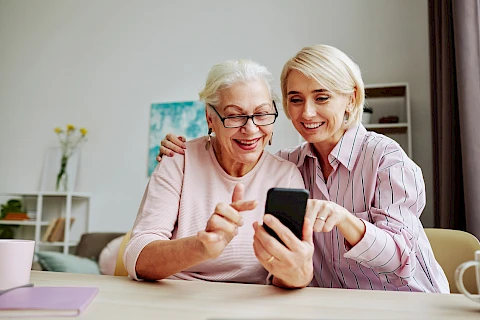
Technology can make it easier for older adults to stay in touch with family and friends, but getting everything set up can take time. Passwords, software updates, and unfamiliar buttons can turn a simple video call into a frustrating task. At Senior Helpers, our experience with senior home care has shown us how much small adjustments can matter in daily life. These tech tools and setup tips can make devices easier to use and help your loved one stay connected with less frustration.
Choose a Device That Feels Comfortable
A tablet is a good starting point when introducing tech tools to senior loved ones. Its larger screen makes photos and video calls easier to see, while a stand keeps it steady. A smart display may suit someone who prefers voice commands. Before adding apps, increase the text size, adjust the brightness and volume, and remove unused apps to keep the home screen simple.
Set Up Tech Tools for Easier Communication
A few simple adjustments can make everyday communication easier and help elderly loved ones stay connected. Start with the features your loved one is most likely to use, then add more as they become comfortable with the device.
- Contacts with photos: Add family members and close friends to the contact list. Use clear photos so your loved one can recognize people without scrolling through names.
- Home-screen shortcuts: Place frequently used contacts or calling apps on the main screen for quick access.
- Family group chats: Set up a shared conversation where relatives can send photos, updates, and messages. Your loved one can reply whenever they like.
- Video calling: Install a familiar app and practice answering and ending calls together before trying it independently.
- Digital photo frames: Consider a frame that lets relatives send pictures remotely. New photos can appear without your loved one needing to open an app.
Teach One Task at a Time
Set aside three or four short sessions to practice using the device and its communication features. Focus on one task at a time and let your loved one operate the device rather than doing everything for them. Write down the steps for common tasks on an index card and leave it nearby.
If you live far away, local classes can provide extra support. Senior Planet from AARP offers free technology classes online and by phone. You can also check with nearby public libraries for drop-in tech assistance.
Talk About Online Safety
As your loved one learns to use these tech tools, take time to discuss online safety. Remind them not to send money or gift cards in response to unexpected messages and to not share their passwords or financial details. Encourage them to check with you or another trusted person if a message seems suspicious or makes them feel rushed.
Create a Routine to Stay Connected
Even a well-set-up device may go unused without a regular reason to pick it up. Schedule a weekly video call, encourage relatives to share photos, or set a reminder for a phone chat. Choose a routine that works for everyone. Keep the schedule flexible so your loved one can enjoy these conversations without feeling pressured to keep up.
Make Staying Connected Easier with Senior Helpers
Staying in touch with family and friends can be easier when your loved one has support with everyday routines. Senior Helpers Greater Arlington provides companionship and daily support for older adults in Arlington, Dallas, Grand Prairie, and Kennedale. Contact us to learn more about our care options.