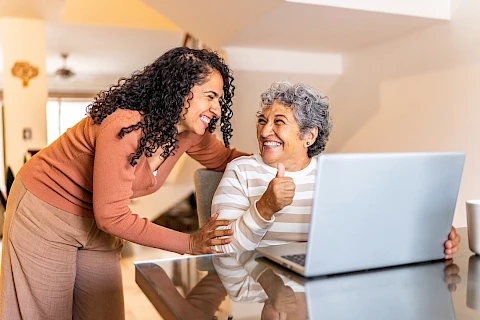
Technology offers seniors valuable ways to stay connected and engaged, but it can also present online risks. Protecting against scams, securing passwords, and managing privacy settings help maintain safety and privacy. Practical guidance and support can make digital experiences safer and more enjoyable for seniors.
Recognizing Scams
Online scams are increasingly targeting seniors, exploiting their trust and unfamiliarity with digital technologies. Common scams include phishing emails, which often appear to be from legitimate companies asking for personal information, and tech support scams, where scammers pose as technical support representatives. Recognizing red flags like unsolicited requests for sensitive information, urgent demands, and unfamiliar sender addresses can help identify these scams. To verify a communication's legitimacy, encourage seniors to check official websites or contact the company directly using phone numbers from trusted sources.
Password Security
Strong password security is a foundational aspect of online safety. Seniors should be encouraged to create strong, unique passwords for each account. A strong password typically includes a mix of uppercase letters, lowercase letters, numbers, and symbols. Tools like password managers can be incredibly helpful, as they securely store passwords and automatically fill them in when needed, easing the frustration of remembering multiple passwords. Remind seniors to regularly update their passwords to enhance security and protect their online identities.
Privacy Settings
Understanding and managing privacy settings on social media and devices helps protect online privacy. These settings allow users to control who sees their information and posts. Guide seniors through the process of checking and adjusting privacy settings on their social media accounts and personal devices. This might include selecting who can view their profiles, deciding what information to share publicly, and managing location services. Ensuring these settings are optimized can greatly reduce the chances of sharing too much personal information online.
Safe Online Practices
In addition to recognizing scams and securing accounts, practicing safe online habits prevents digital threats. Stress the importance of using secure internet connections, such as encrypted Wi-Fi, especially when entering personal information online. Educate them on recognizing phishing emails, which often use urgent language and questionable links. Encourage safe browsing habits by advising them to visit trusted websites and download software only from reliable sources. Such practices go a long way in protecting both their privacy and device security.
Communicating About Online Safety
When discussing online safety, approach the topic with empathy and respect, understanding that the digital world can be overwhelming. Encourage open dialogue by asking about their online experiences and listening to their concerns. Providing resources, such as instructional videos or step-by-step guides, can empower seniors without being condescending. Offering ongoing support and encouraging them to ask questions will help them gain confidence and build their online capabilities.
Staying Safe in a Connected World
Seniors benefit most from technology when they can engage online safely. Recognizing scams, maintaining strong and unique passwords, adjusting privacy settings, and practicing cautious online habits all help reduce exposure to digital threats. Caregivers play a vital role by guiding these practices with patience and empathy, creating an environment where seniors feel supported rather than overwhelmed. Senior Helpers Lake Country can assist by providing hands-on technology support, helping seniors in Beaver Dam, Oconomowoc, Watertown, Waupun, and Fort Atkinson set up secure devices, manage accounts, and understand privacy settings in everyday digital use. Reach out to learn how personalized in-home services can help your loved ones use technology safely and stay connected to what matters most.