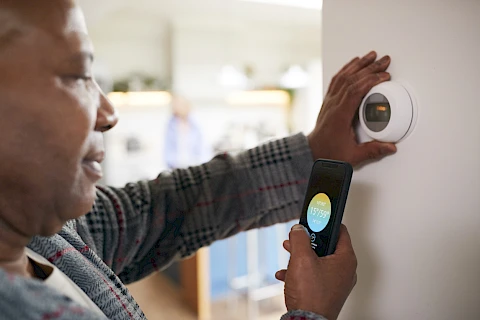
If you've walked into your parents' house this summer and found it either freezing or stifling, you're not alone. Houston caregivers spend a lot of time nudging thermostats up or down, especially during the swing months when nights finally cool off but afternoons still hit the low 90s. Smart thermostats for senior homes can take some of that back-and-forth off your plate by keeping temperature settings more consistent and giving family members a way to check in remotely. It also cuts the electric bill and adds a real layer of safety.
Why a Smart Thermostat Is Worth Thinking About
Older adults are more sensitive to heat. Their bodies are also slower to signal that something is off, and a room that reads comfortable to you at 78 degrees may already be causing dehydration for an 82-year-old with heart medication on board.
Smart thermostats keep the house within a narrow range without anyone touching a dial. You can set a schedule from your phone, get alerts if the temperature drifts outside a safe band, and see whether the AC is actually running when it should be. On top of that, most models cut cooling costs by 10 to 15 percent, which matters in a Missouri City summer.
The CDC has a plain rundown on heat risks for older adults that's worth reading before you install anything.
Picking a Model That Won't Frustrate Your Parent
The best thermostat is the one your parent will actually use. Some seniors take to touchscreens without any fuss. Others want large numbers, straightforward controls, and as few menus as possible.
A few models worth looking at:
- Nest Learning Thermostat: A round dial with a bright display. It learns your parents' routine over about a week and adjusts on its own.
- Ecobee SmartThermostat: Includes a remote room sensor, which helps if the bedroom runs hotter or cooler than the hallway.
- Honeywell Home T9: Familiar Honeywell interface with app control layered on top. The learning curve is gentler for someone who's used their previous thermostat since the Reagan years.
Choose the one that looks least intimidating on the wall. Bigger numbers usually win.
Setting It Up So Everyone Wins
Install it yourself if you're handy. Otherwise, ask an HVAC technician to swap the old unit for around 100 to 150 dollars, and once the new one is mounted, connect it to your parents’ Wi-Fi and add yourself as a household member in the app so you can see and change settings from your kitchen table.
Set a simple schedule. Cooler at night for sleep, a little warmer during the day, locked out of extreme highs and lows. Turn on geofencing carefully, though; if your parent doesn't carry a phone, geofencing can send the house into vacation mode while they're still home reading in the recliner. Add a low-temperature alert so you get a notification if the house drops below 60 in winter, which usually means the heat has failed.
What Happens When Tech Feels Like Too Much
Some parents will love the new thermostat within a week. Others will want the old dial back by dinner. That's fine. A smart thermostat does not have to become another gadget your parent manages all day. You can still leave the smart model in place and set it to hold one steady temperature, using the app as a safety net rather than a daily tool.
At Senior Helpers Central Southwest Houston, our caregivers regularly help older adults across Houston and Missouri City feel comfortable with small pieces of technology, from thermostats to medication reminders. If you'd like a hand walking your parent through a new setup or figuring out what's worth installing in the first place, contact us. Happy to talk through it.