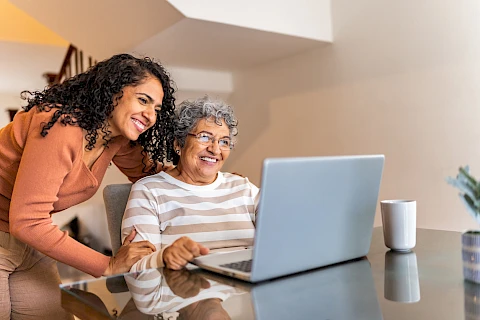
Online safety is crucial for everyone, including seniors. More seniors use the internet to connect with loved ones, manage finances, and access information, and they need the tools and know-how to do so safely. As caregivers, you can help guide seniors through the online landscape securely. Here are some tips you can use to help your senior loved one get online safely and securely.
Do You Know the Basics of Online Safety?
Helping seniors learn the risks of the internet is a key step in keeping them safe. Educate them about potential dangers such as scams and identity theft. Approach these conversations with empathy and patience. Remember, the internet can be overwhelming for those unfamiliar with it, and your guidance can make a huge difference.
Creating Strong Passwords
Passwords are the first line of defense against unauthorized access. Encourage seniors to create strong, memorable passwords. A good password should be at least eight characters long and include a mix of letters, numbers, and symbols. Suggest using phrases or sentences that are easy for them to remember but hard for others to guess. For example, "SunnyWalk2023!" is strong and memorable.
Introduce them to password management tools. These tools securely store passwords and can help them log in without having to remember each one. This makes their online experience smoother and enhances security.
Recognizing Online Scams
Online scams are a major threat, especially for seniors who may not be as familiar with digital red flags. Educate them about common scams, such as phishing emails and fake lottery wins. Encourage them to be cautious of emails asking for personal information or money.
Teach them to look for red flags such as:
- Poor spelling
- Unfamiliar email addresses
- Urgent demands for action
If a scam is suspected, instruct them not to engage and to report it. Assure them that it's okay to ask for help if they're unsure about a suspicious message or website.
Protecting Personal Information
Safeguarding personal information is crucial. Advise seniors to be mindful of what they share online. They should avoid posting sensitive details such as their full address or financial information on social media.
Explain the importance of privacy settings on platforms like Facebook. Show them how to adjust these settings to control who can see their information. Additionally, teach them how to identify secure websites by looking for "https" in the URL and a padlock icon in the browser.
Setting Up Parental Controls
Parental controls can be a useful tool in helping seniors navigate the internet safely, especially if they are new to it. Explain that these controls are not just for children but can be adapted to monitor their online activity without being intrusive.
Guide them step-by-step in setting up these controls on their devices. This includes limiting access to certain websites and setting up alerts for potentially unsafe online interactions. Reassure them that these measures are in place to enhance their safety and not to limit their freedom.
How Are You Keeping a Senior Loved One Safe Online?
Online safety is an ongoing process that requires vigilance and awareness. Caregivers can greatly reduce the risks they face by taking steps to educate and protect seniors online. Stay informed about new threats and continue to have open conversations with the seniors in your care. For personalized support and resources, contact us at Senior Helpers Greater Cincinnati. We are here to assist you and the seniors you care for in Hamilton, Fairfield, Cincinnati, Loveland, and Milford. We offer in-home senior care, including companion care and chronic disease care.